01
Memory that outlives the run.
Managed vector search in the same regions as your agents, with metadata filters and a memory API. Use Python, TypeScript, or the Qdrant-compatible API.

The platform for agents that ship
Aetherfy brings agent deployment, vector memory, and the controls around them into one platform. Your code. Your models. Your choice of framework.
Discover the platformOne platform. The whole lifecycle.
Compute, memory, deployments, and the controls around them. Start with what you need. Connect the rest as your application grows.
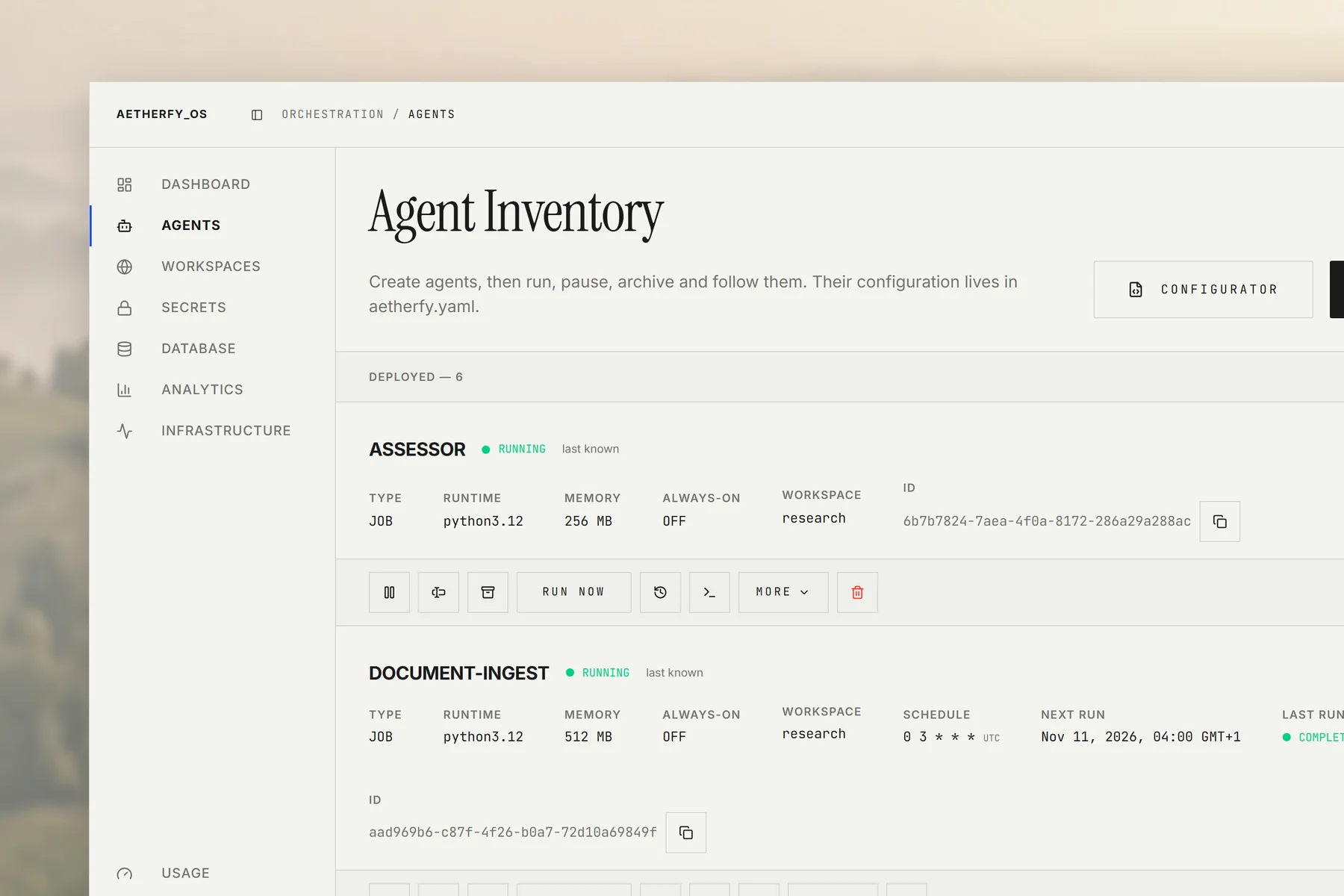
Managed vector search in the same regions as your agents, with metadata filters and a memory API. Use Python, TypeScript, or the Qdrant-compatible API.
Discover agents in a workspace and spawn tasks from your code. Let a coordinator hand work to specialist agents, and message them while they run: progress, questions, new instructions.
Connect GitHub for deployments from your branch. Deploy locally with the CLI and roll back when you need to.
Set agent access levels, protect collections, and manage encrypted secrets. You decide what each agent is allowed to change.
Recover deleted collections within your plan’s retention window. Paid plans also offer restore points for live collections.
Follow build and runtime logs, inspect task runs, and monitor agent metrics from the dashboard, CLI, or API.
Different workloads. Same home.
A customer-facing API. A nightly research task. A voice agent on the other end of a call. Choose how your code runs.
Serve APIs, chat experiences, and webhooks. Services wake on incoming requests and sleep when idle.
Deploy a serviceruntime: python3.12
type: service
memory_mb: 256afy deploy
A small manifest. Your application code. A managed build and deployment.
Prefer a Git workflow? Connect your repository.
Memory your agents can work with
Let an agent create collections, store and search vectors, update points, and clean up when its work is done. Its permissions decide how far it can go.
Document processing agent
Example workflowCreate a collection for an incoming document.
Store embeddings and metadata. Retrieve relevant points.
Delete temporary collections when granted full access.
You set the boundaries. Agents cannot raise their own access levels.
Security and isolation
A service’s public address is served only through Aetherfy’s edge.
An agent can’t reach other customers’ agents over a private network or discover them.
Agent code runs as an unprivileged user, not root.
If isolation can’t be set up, the agent isn’t started; no unisolated agent is ever served.
Secrets are encrypted at rest with AES-256 and never returned.
For you. And your coding assistant.
Deploy agents. Manage workspaces, collections, points, secrets, and logs. Give a coding assistant terminal access and it can use the same commands you do, with your credentials.
afy deploy
afy list --json
afy collections list --workspace research --json
afy points count knowledge --workspace research --jsonConnect your assistant to the docs MCP server to search documentation, read reference pages, and look up the manifest schema. Operational changes use the CLI or APIs; this server provides the reference.
https://docs.aetherfy.com/api/mcpPublic, read-only docs. No authentication required.
From prototype to day-to-day
Keep related agents, collections, and secrets together. Grant access to other workspaces when your application needs it.
Read the guideAgents and collections share your workspace’s regions in the US, Europe, or Asia Pacific, and each agent reaches the vector API in its own region. Performance and above add multi-region deployment and vector replication.
Read the guideSee usage and billing in one dashboard. Understand the cost of always-on compute and extra regions before you scale.
Read the guideWhat will you build?
Build a RAG assistant that retrieves relevant documents before it responds.
Explore the RAG workflowResearch leads, enrich records, and delegate steps to specialist agents.
Explore research and enrichmentConnect a voice worker to your media provider and give it persistent context.
Explore voice agentsRoom to get started. Room to grow.
$0/mo
Try Aetherfy with a single agent.
View plan$35/mo
One region, one focus — for personal projects and side apps.
View plan$149/mo
Multi-region replication, higher caps, and HA for production workloads.
View planCustom
Custom limits, dedicated support, on-premise option.
View planPaid plans include usage allowances, and you can set your own spend cap. Always-on compute and additional usage depend on your plan and configuration. Free: No overage. Paused once the agent is awake beyond 75% of the month. See pricing for the full breakdown.
A few things to know
The details matter when you’re choosing where your agents will live.
Aetherfy brings agent deployment, vector memory, orchestration, and operational controls into one platform. Run services and tasks, store and search knowledge, and manage the connected application from one dashboard.
Yes, within the access levels you grant. Read and write access allows collection creation and point operations. Full access also allows collection deletion and structural changes. Protected collections block destructive agent operations, and agents cannot raise their own permissions.
A coding assistant with terminal access can use the afy CLI to deploy agents and manage workspaces, collections, points, secrets, and logs. Connect it to our public docs MCP server for current reference material. The docs MCP server is read-only; operations happen through the CLI or APIs with your credentials.
No. Choose the model providers and libraries in your code, and store provider keys as secrets. Use Aetherfy’s vector database, bring an external database, or deploy an agent that does not need one.
By default, a service sleeps when idle to save cost and wakes on its next request, typically in under a second. Set keep_alive: true and it never sleeps, so the first request is answered at once. Tasks run to completion and stop.
Yes. Choose regions per workspace and run resources within that scope. Free and Starter run in one region; Performance and above support multi-region deployment and vector replication.
LiveKit workers and Pipecat bots connect out to a hosted media server; Twilio Media Streams connects over WebSocket. Outbound workers run as a Dockerfile service with keep_alive: true, on a paid plan. Direct inbound WebRTC or UDP is not supported.
Less infrastructure between you and your idea